
Measurement triggered issues
Issues triggered by measurements can be closed automatically once the measurements are back within the thresholds. Auto-closing is configured per measurement trigger, on the Measurement triggers tab of the Monitoring page. It can be set on an Environment, Template or Port trigger, the same way as the thresholds and the issue delay.
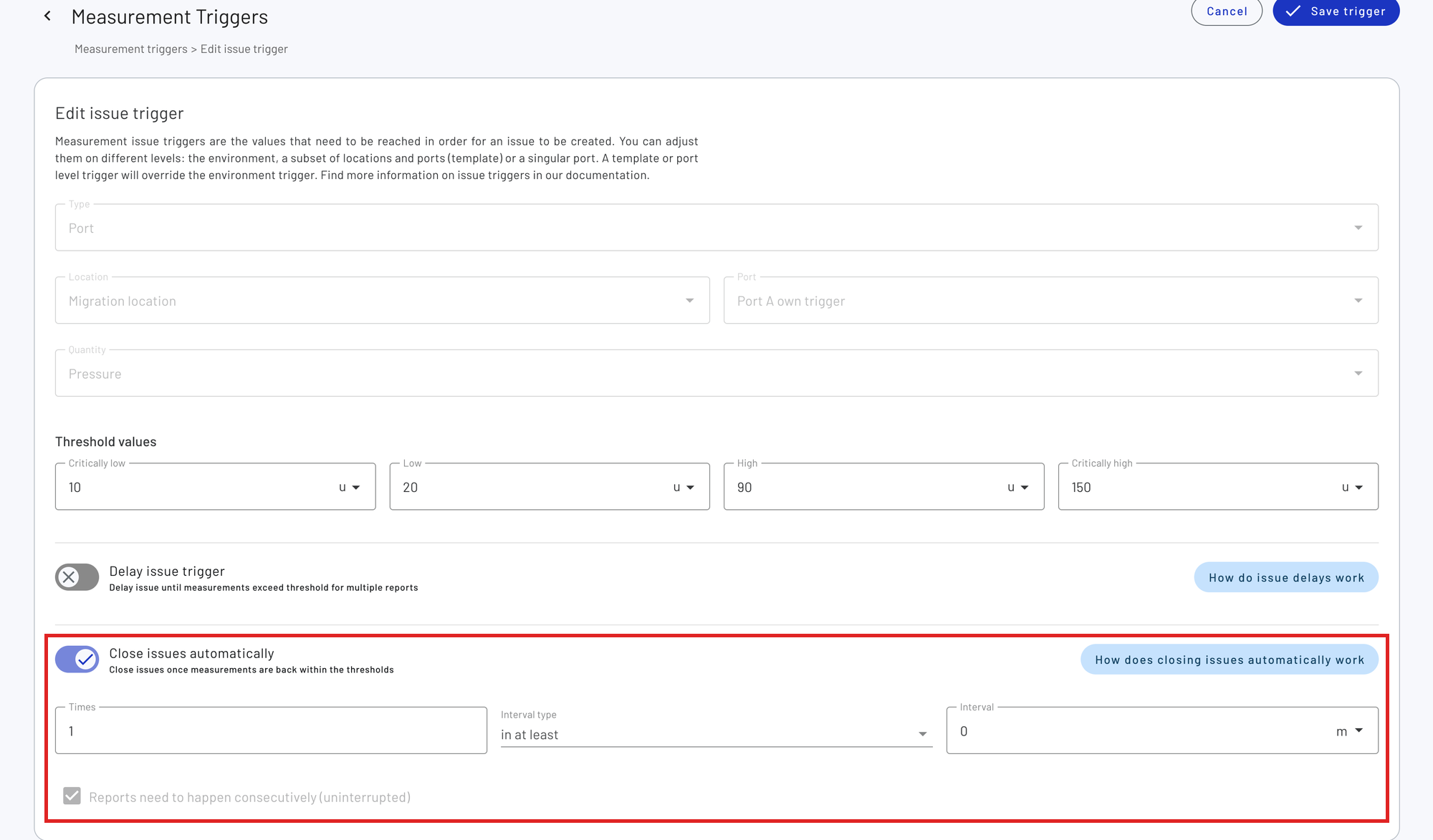
The auto-close settings of a Port trigger can also be changed from the graph of the port, with ‘Edit issue triggers’ in the menu at the top right of the graph. See individual issue delay.
Auto-closing used to be a single setting for the whole environment, under Settings -> General. Environments that had it turned on now have it turned on for every measurement trigger that existed at that time, with the same number of measurements or period of time. Measurement triggers created after that have auto-closing turned off until you turn it on.
Turn on ‘Close issues automatically’ on the trigger and set when the issue should be closed. The settings work the same as the issue delay, but count measurements within the thresholds instead of threshold violating measurements:
- Times: the number of measurements within the thresholds
- Interval: the period of time these measurements are coming in
- Interval type: whether the measurements should come in ‘within’ that period, or keep coming in for ‘at least’ that period
- Measurements need to happen consecutively: whether a threshold violating measurement resets the count. For ‘at least’ the measurements always need to be consecutive.
Only measurements received after the issue was opened count. When an issue is reopened, counting starts again from the moment it was reopened. With the default settings (1 time, no interval), the issue is closed on the first measurement within the thresholds.
For example, ‘3 times in at least 1 hour’ closes the issue once there are 3 or more consecutive measurements within the thresholds and no threshold violating measurements for at least an hour. As that hour has to start after the issue was (re)opened, the issue is open for at least an hour.
An issue triggered by multiple quantities is closed once the auto-close settings of the trigger of each quantity are met. If auto-closing is turned off for one of these quantities, or one of them was deleted, the issue stays open. Only issues on a single port are closed automatically.
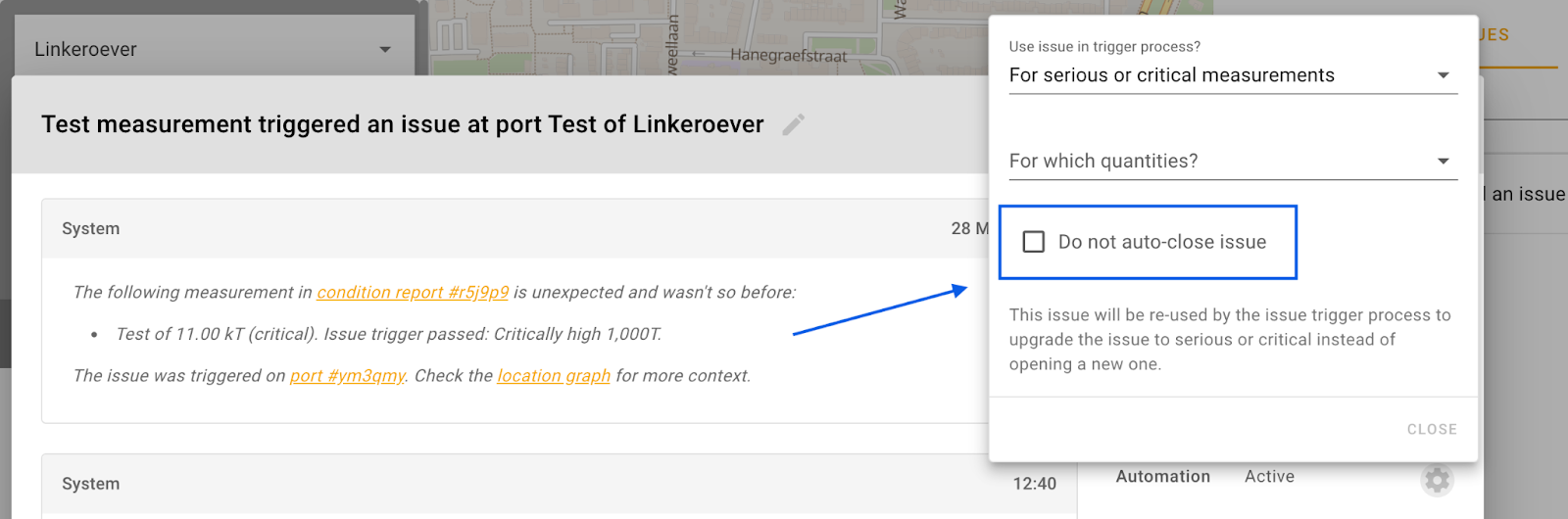
If needed, auto-closing can be turned off for particular issues. The corresponding checkbox can be found in the Automation settings popup of the issue dialog window.